Ispirer Website
Ispirer Toolkit Overview
Free Trial
SQLWays: Parser Errors
What is a Parser Error
After the conversion process, you may see that some objects or scripts were not converted due to parser errors. It means that the conversion tool was unable to analyze the code of the object or file. In other words, some unknown statements or constructions were found inside the object or script that we are trying to convert.
How to Solve Parser Errors
The good news is that these types of errors are very easy to fix and don't require any complicated steps or settings from your side.
All you need to do is simply send the code of failed objects or scripts to our support team at support@ispirer.com. And we will extend the parser technology based on the constructions of your code for free. In a couple of days, we will provide you with an extended version of the toolkit. Therefore, you can continue to use the migration tool.
How to Find Parser Errors
Parser errors may occur during the conversion.
For the convenience of viewing error messages, SQLWays provides the opportunity to view a full report with the results of the conversion.
To open the generated report, you need to open the project directory.
Follow the instructions in the screenshot below:
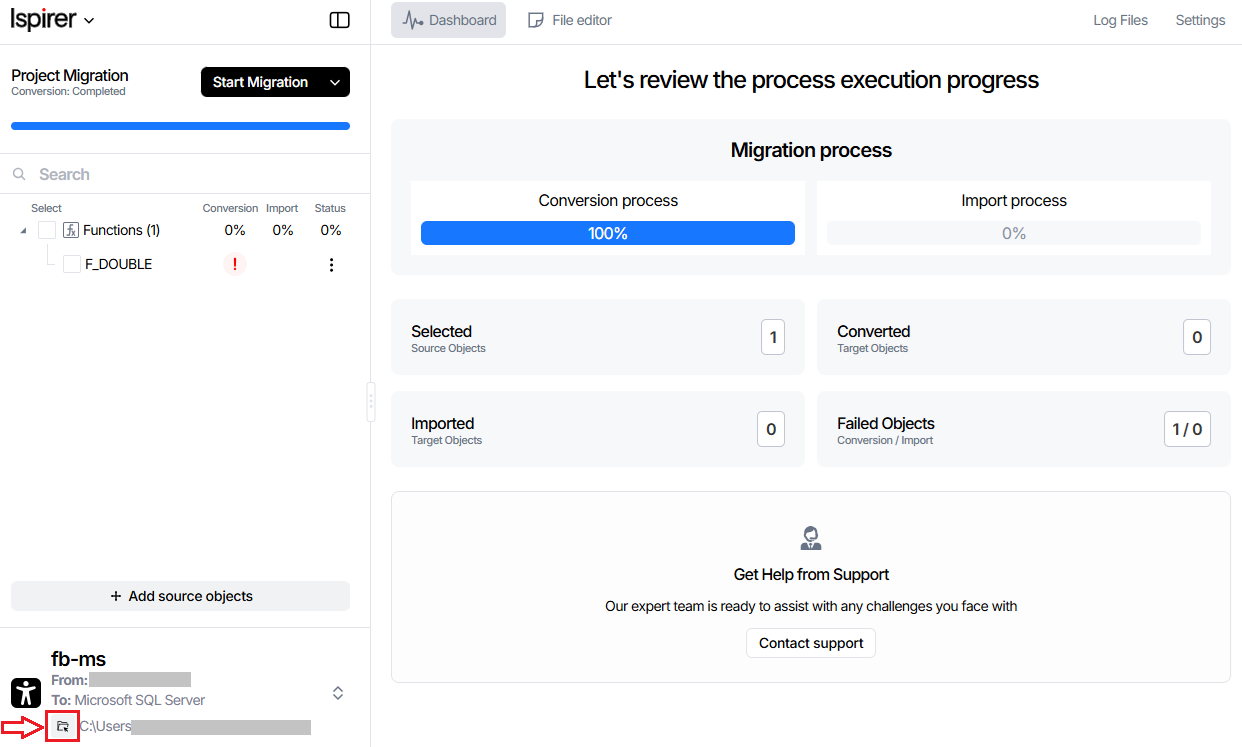
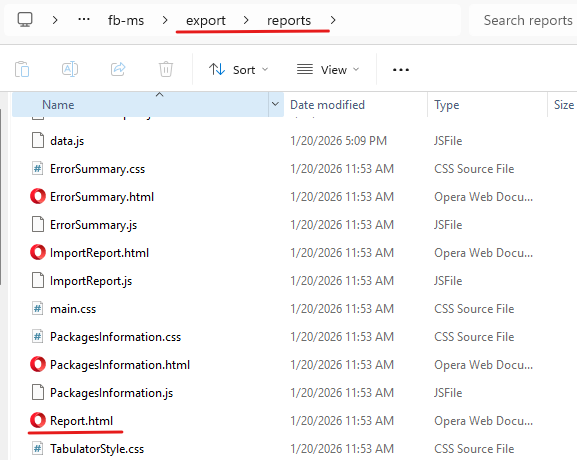
In the directory that opens, find the export folder and open it.
From the export folder, go to reports.
Find the Report.html file and open it in a browser.
On the page that opens, you can see information about objects and errors.
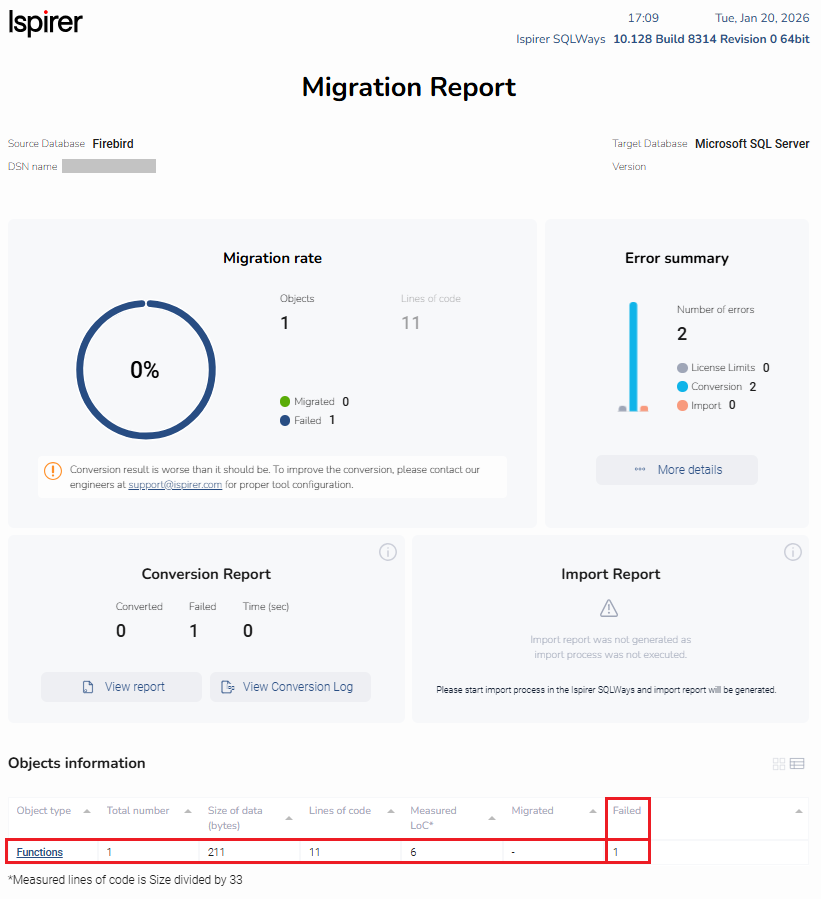
To view errors for a specific object type, click on the object type in “Object Information” section, which contains objects with a Failed status.
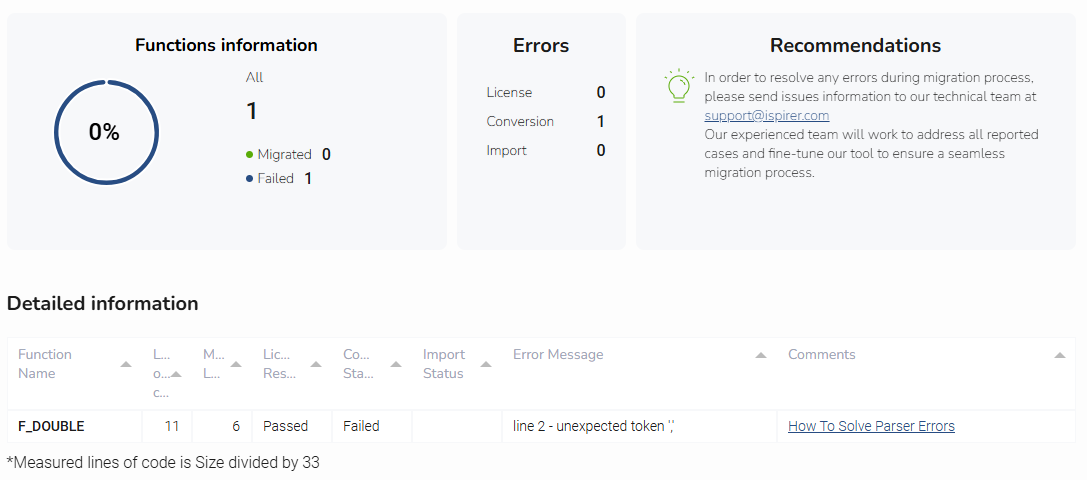
You can also click Error Summary → More Details on the Migration Report page and open the corresponding report.
On this page, you will see the entire list of errors, including parser errors, which means that the tool was unable to read and analyze the source code of the object, and the parser failed.
You can also view error messages in the Conversion log that contains the results of the conversion.
To open the Conversion log, click the Log Files button in the upper right corner.
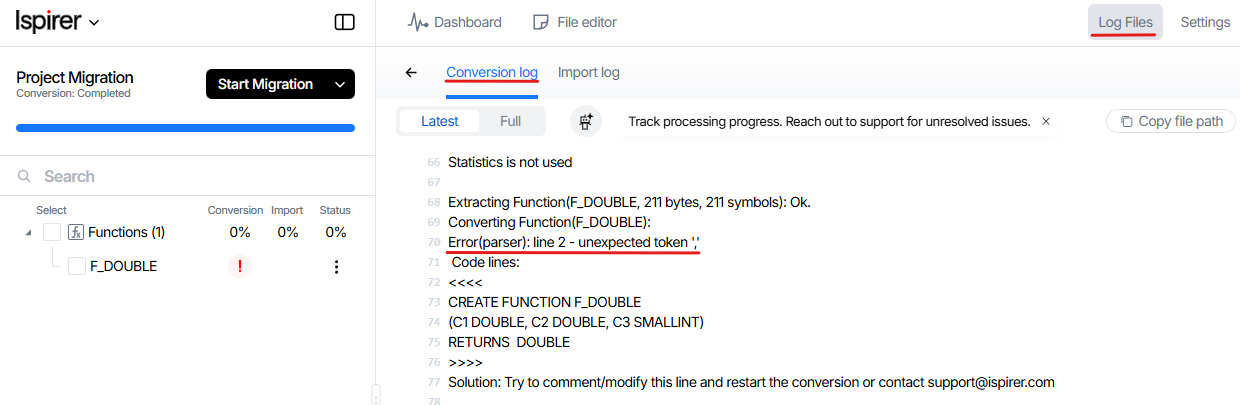
You can also view the error by clicking on the object name in the object tree on the left pane. At the bottom of the window that appears, you can see the full error message in the Output panel.
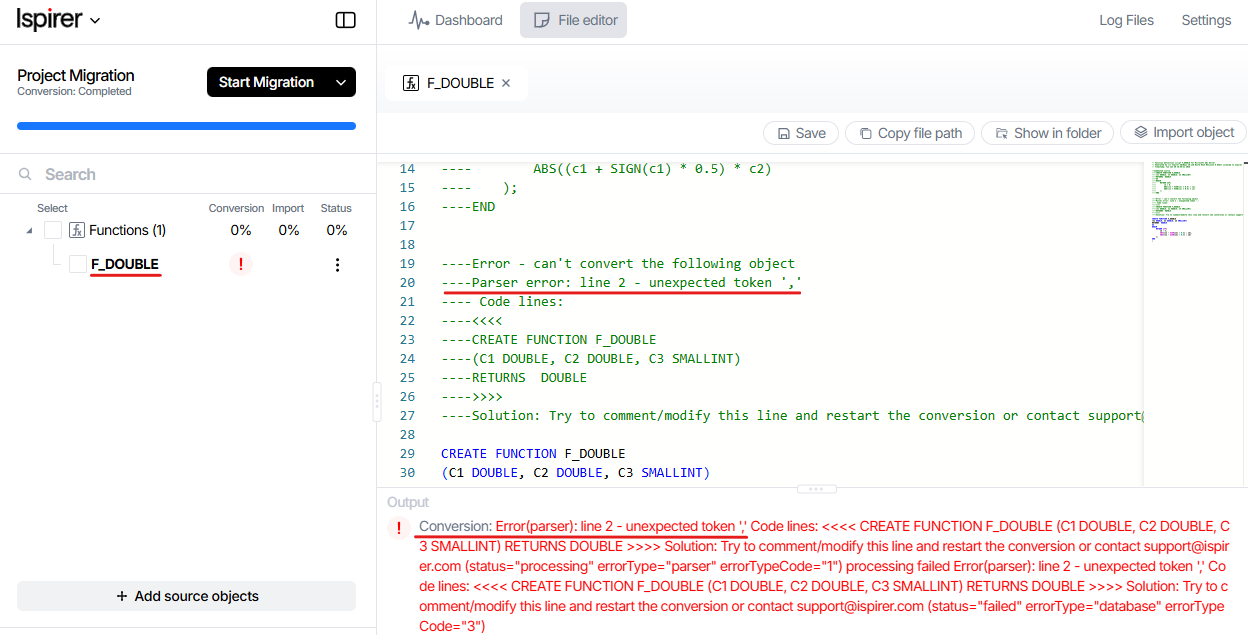
To resolve the error, please send the source code of the object(s) or statement in which the error occurred to support@ispirer.com.
You can find the source code in the source database.
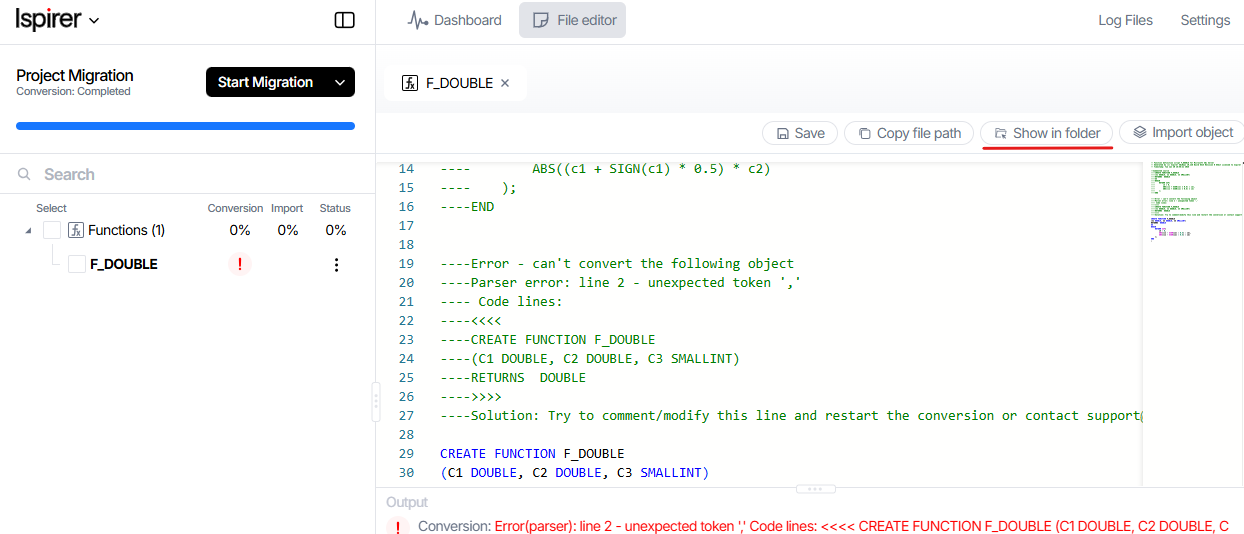
Alternatively, you can send us generated sql file.
You can found it by clicking to Show in folder button.
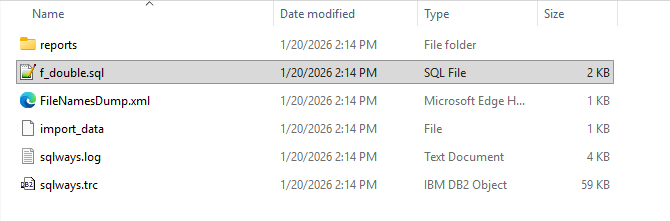
This file contains the source code, which you can send to us. We will analyze the code and prepare a version of SQLWays that will parse the source code.
Related Topics
If you have any questions or face any difficulties, please contact our support team at support@ispirer.com