Ispirer Website
Ispirer Toolkit Overview
Free Trial
SQLWays: Search Filter on the Source Objects Panel
The Search Filter on the Source Objects Panel of SQLWays is used to quickly locate source database objects in projects with a large number of schemas and objects.
The filter searches for the entered sequence of characters in both schema names and object names. An object is displayed if the specified text is found in either of these names.
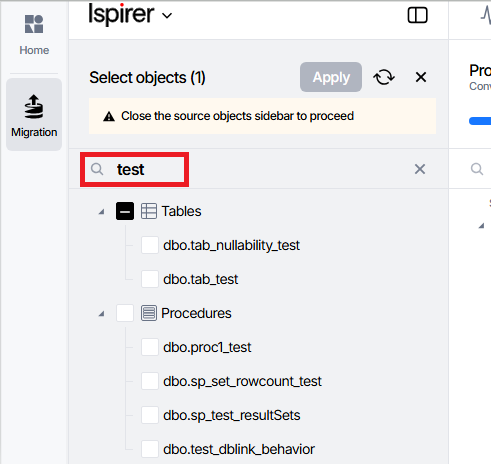
The filtering is applied dynamically as you type and works across all supported object types.
Note: The matching is based on the presence of the entered character sequence and does not require an exact match of the full name.
This feature helps reduce manual navigation, speed up object selection, and simplify the preparation of object lists for migration, especially when working with large, complex databases.
Related Topics
If you have any questions or face any difficulties, please contact our support team at support@ispirer.com