Ispirer Website
Ispirer Toolkit Overview
Free Trial
SQLWays: Optimizing Schema and Data Migration
To optimize the migration process, we recommend dividing the conversion into multiple threads by following the steps below:
- (Project 1) For the first migration project, select all the tables (as well as any other objects, such as views, functions, etc.) that you intend to convert.
Next, navigate to Settings → Options and configure the EXPORT_DATA option in the _WZD_COMMON section to No.
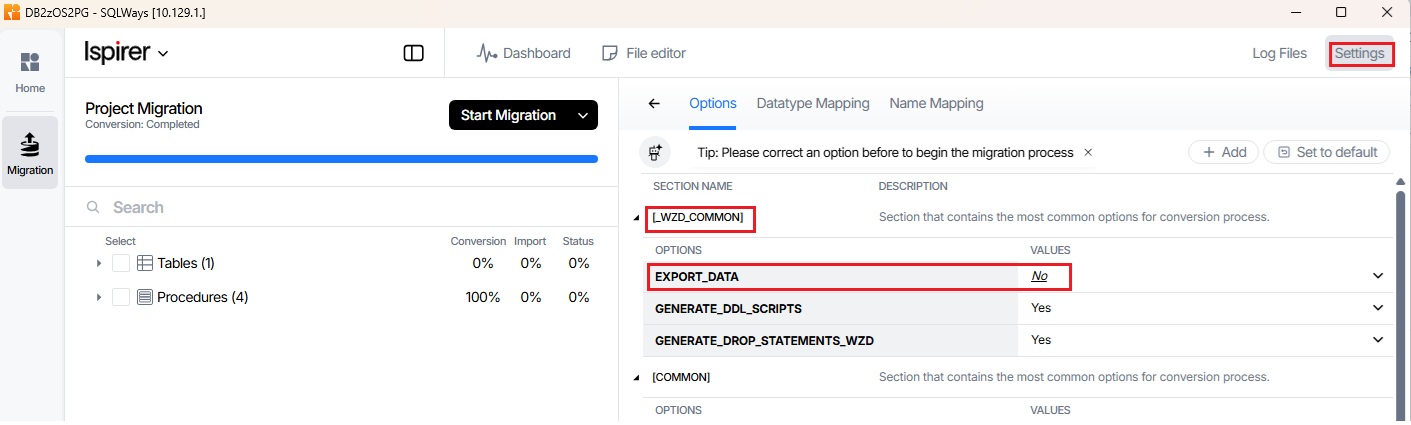
This setting allows the tool to convert all DDL, indexes, and constraints without spending time on data export.
Next, verify that in the COMMON section, the IMPORT_ORDER parameter is set to Fast (this is the default value).
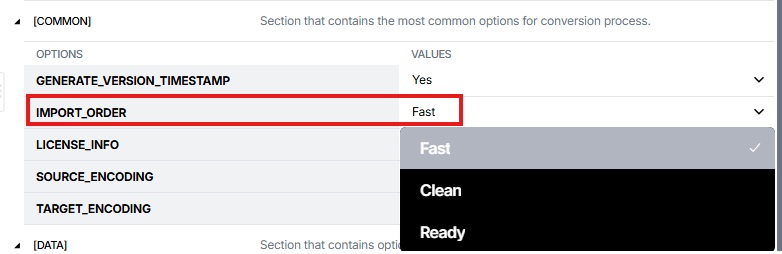
This option allows constraints and indexes to be downloaded separately from the DDL, enabling them to be imported into the database independently.
- (Project 2 – N) In the remaining projects, only data will be converted.
In the _WZD_COMMON section of Settings → Options, set the GENERATE_DDL_SCRIPTS option to No. This ensures that only data is uploaded and converted in these threads.
Since these projects focus on data conversion, the EXPORT_DATA option should be set to Yes.
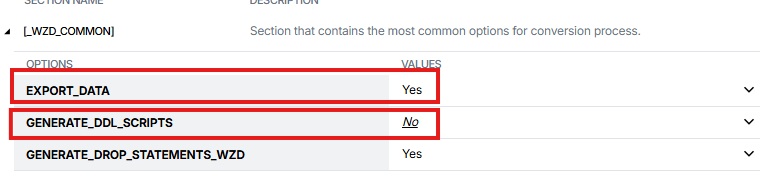
If necessary, the data can be divided into approximately equal parts to accelerate the conversion process. There are two ways to split data within a table:
If only one table is selected for conversion, you can specify the initial row and the number of rows to load in the _WZD_COMMON section in Settings → Options.
For example, you can upload the first 100 lines in one project by specifying the options
  STARTROW=1
  ROWSCOUNT=100,
the next set of 100 lines, starting with 101, in the second project:
  STARTROW=101
  ROWSCOUNT=100
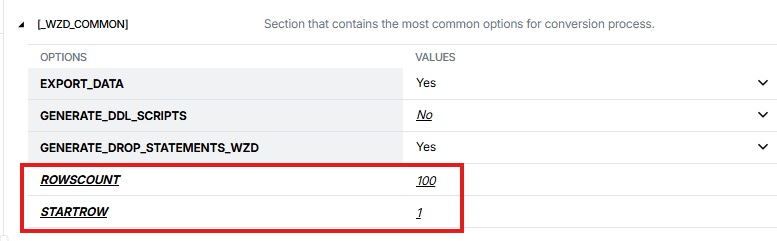
and so on.
Any number of such projects can be created.
Related Topics
If you have any questions or face any difficulties, please contact our support team at support@ispirer.com