Ispirer Website
Ispirer Toolkit Overview
Free Trial
SQLWays: Post-Conversion Editing and Re-Import of Objects
After the conversion of the objects, the process may be considered incomplete: an error may occur during import, or the applied conversion approach may not meet the project requirements.
In such cases, the tool SQLWays allows you to open the already converted code directly in the editor built into the tool, view it, make the necessary changes, and start importing the object again.
Step 1: Open the converted code in the editor
As a rule, after the conversion stage is complete, the object exists in a transformed form, meaning it can be viewed and adjusted without repeating the conversion process.
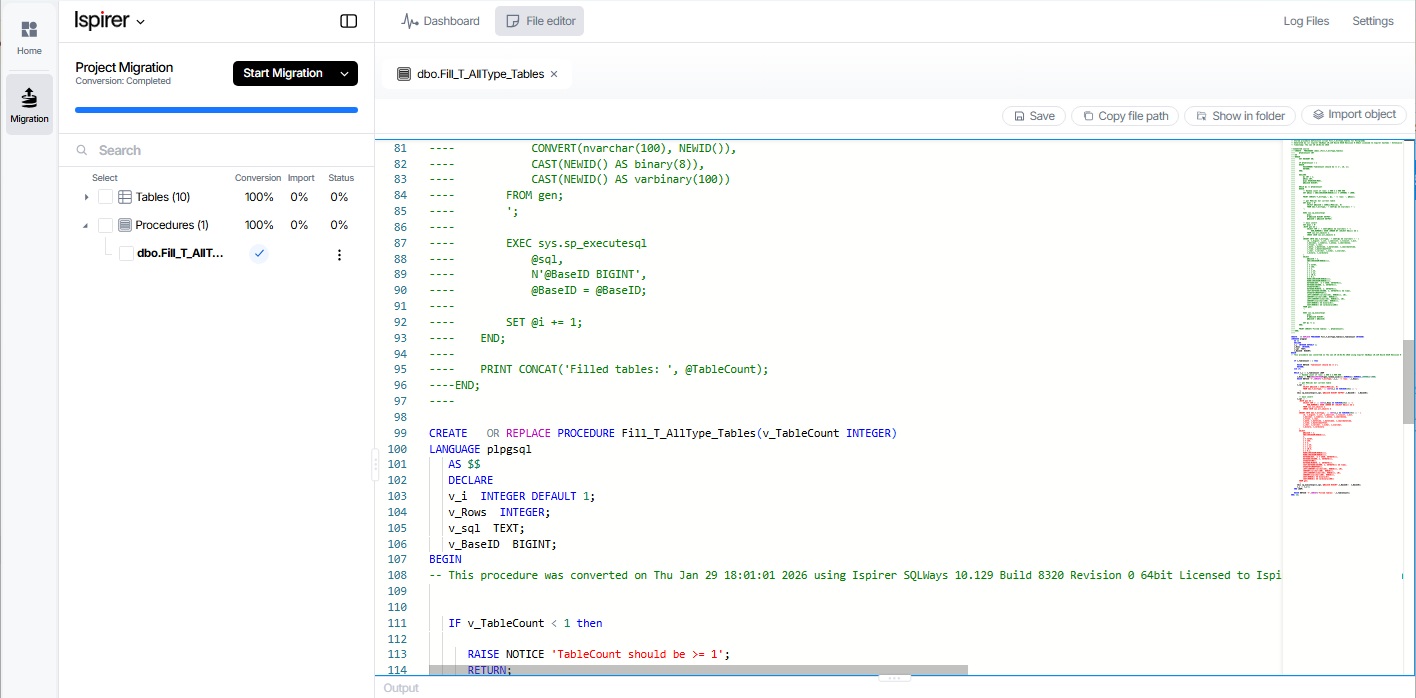
This is a great moment to:
- Check if the conversion is correct
- Check naming conventions
- Check compatibility with the target environment
- Change the logic or structure if necessary.
Note:
For convenience in comparing the converted code with the original, the source code is shown at the top of the opened file, in commented form.
Step 2: Change the transformed object
Make the necessary changes directly to the converted code.
These changes may include:
- correction of conversion errors
- optimization of logic
- refactoring for readability or performance
All changes are applied to the converted version of the object, not to the original text of the object.
Step 3: Save the Changes
After completing the modifications, save the file in the editor by pressing the 'Save' button.
Saving ensures that the updated version of the converted object is stored and ready for import.
It is important to confirm that:
- No compilation errors remain
- All required references are resolved
- The file structure remains intact
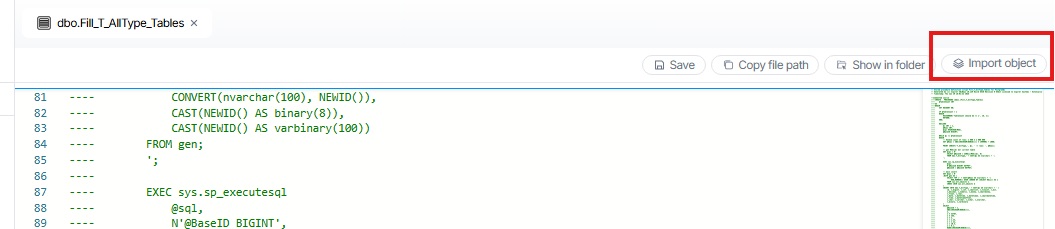
Step 4: Perform a Re-Import
Once the changes are saved, run the import process again by clicking the 'Import object' in Editor:
or mark the object in the Objects tree and press 'Import':
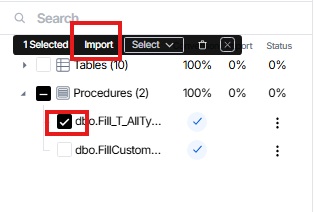
The tool will import the updated converted object rather than re-running the conversion.
This repeated import allows the modified object to:
- Replace the previous version of object in target database
- Reflect all manual adjustments made after conversion
Summary
A typical conversion workflow is as follows:
- Perform object conversion.
- If an error occurred at the stage of importing an object into the target database, or you are not satisfied with the conversion result, manually adjust the converted code:
- Open the converted code in the editor
- Make the necessary code changes
- Save the modified code
- Run the re-import
This approach provides flexibility and control over the end result, allowing developers to fine-tune transformed objects before they are fully integrated into the project.
Related Topics
If you have any questions or face any difficulties, please contact our support team at support@ispirer.com