Ispirer Website
Ispirer Toolkit Overview
Free Trial
SQLWays: Migration Status manipulations
On the Dashboard tab of the SQLWays tool, you can see a tree of objects showing the resulting migration statuses, as well as cards summarizing the migration results.
Once each migration phase is completed, the status of the phase is displayed:
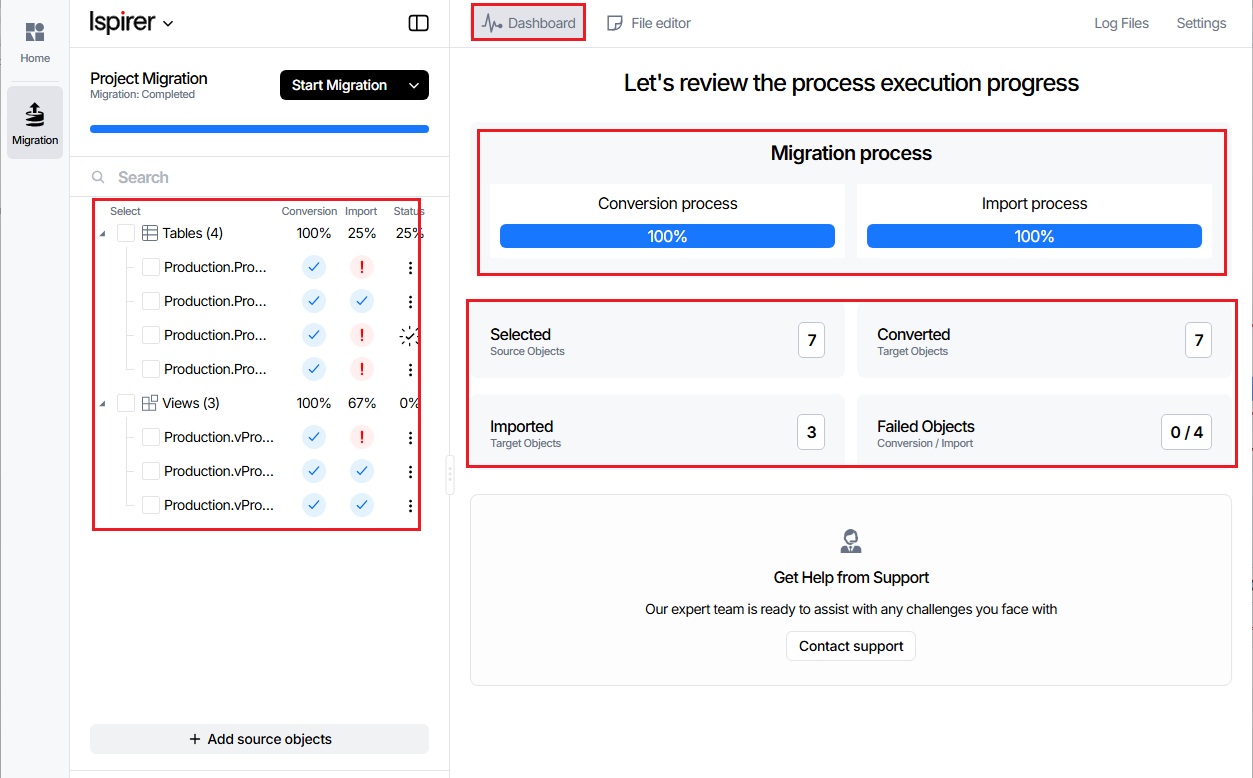
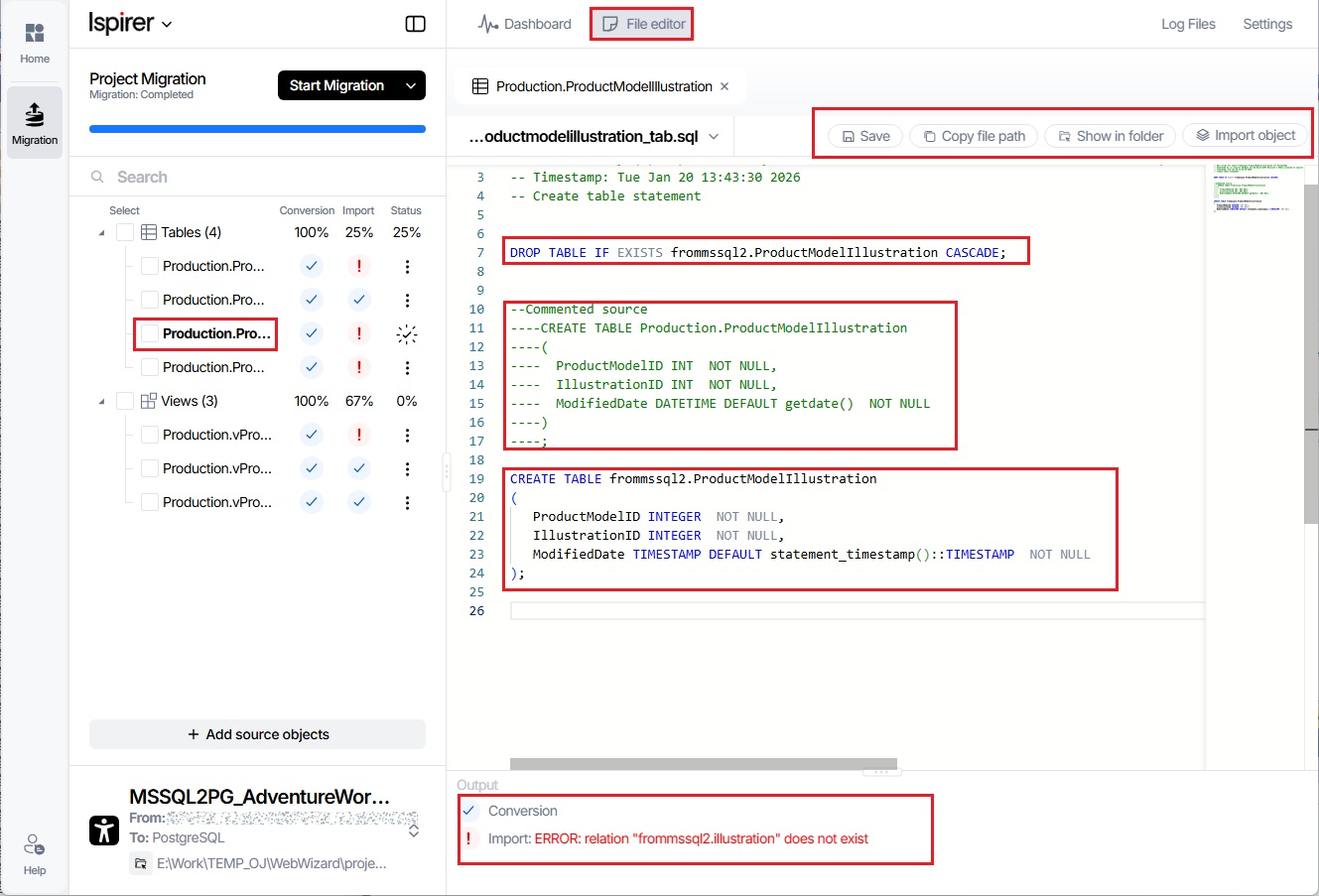
If you select any object in the object tree, its corresponding .sql file, created during the Export phase, will be opened on the File Editor tab.
This file includes the following information:
- The version of the tool used
- The execution time of the conversion
- Commented DDL code of the source database object
- DDL code of the object resulting from the conversion for the target database
- Statuses for all completed phases of the conversion process
You can edit this file, save your changes, open it in Explorer, and then perform an import of this specific object only, allowing you to verify the results of your modifications:
Related Topics
If you have any questions or face any difficulties, please contact our support team at support@ispirer.com