Ispirer Website
Ispirer Toolkit Overview
Free Trial
SQLWays: Preserving case-sensitive schema names
Regarding the need to preserve the original case of schema names (by quoting them in the object declarations), this behavior can be achieved without any manual modifications to the generated scripts. Please follow the steps below:
- Step 1. After selecting the required objects, click the Settings button.
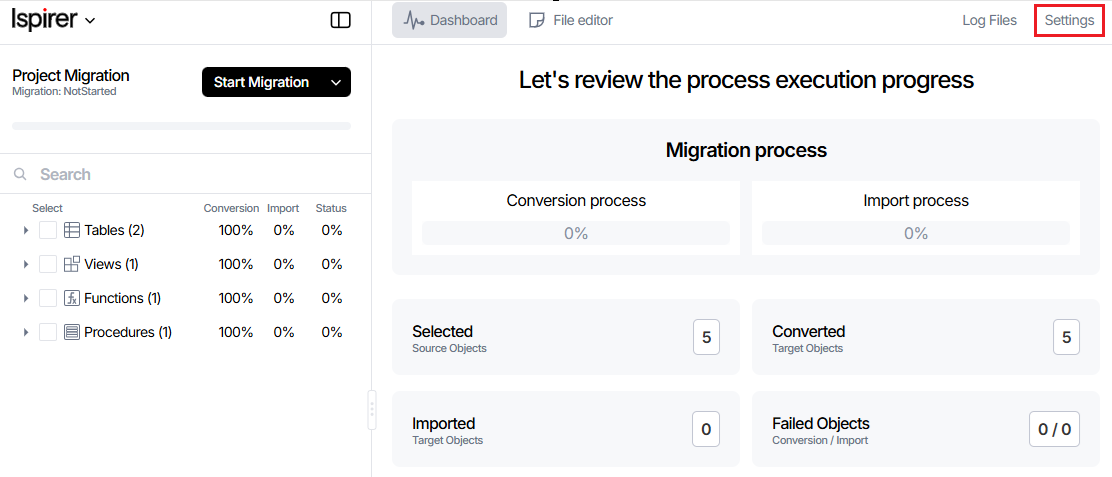
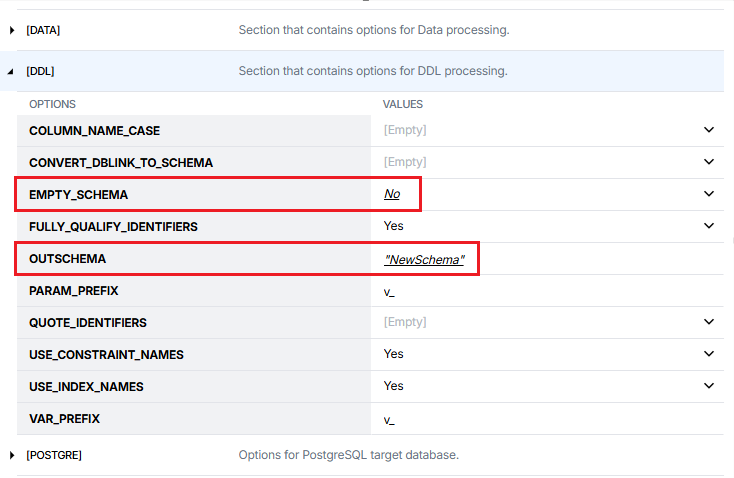
Expand DDL section.
- For
EMPTY_SCHEMAoption select No value.
- For
OUTSCHEMAoption enter desired schema name.
- Step 2. Before running the migration, please manually create the schema in the target PostgreSQL database with the following command:
CREATE SCHEMA "NewSchema";
- Step 3. Once the above settings are applied and schema created, run the migration.
The resulting DDL scripts will contain the objects with the required schema names quoted as specified.
An example script is attached for reference.
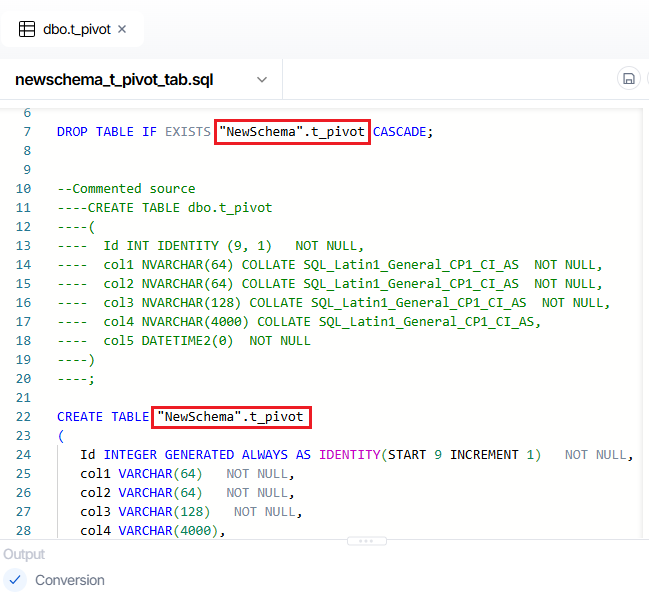
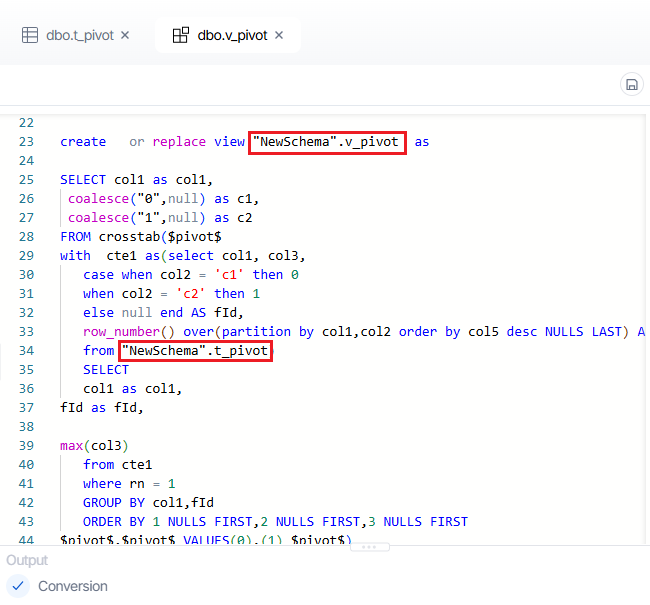
- Step 4. All objects will be correctly created under the specified schema in PostgreSQL.
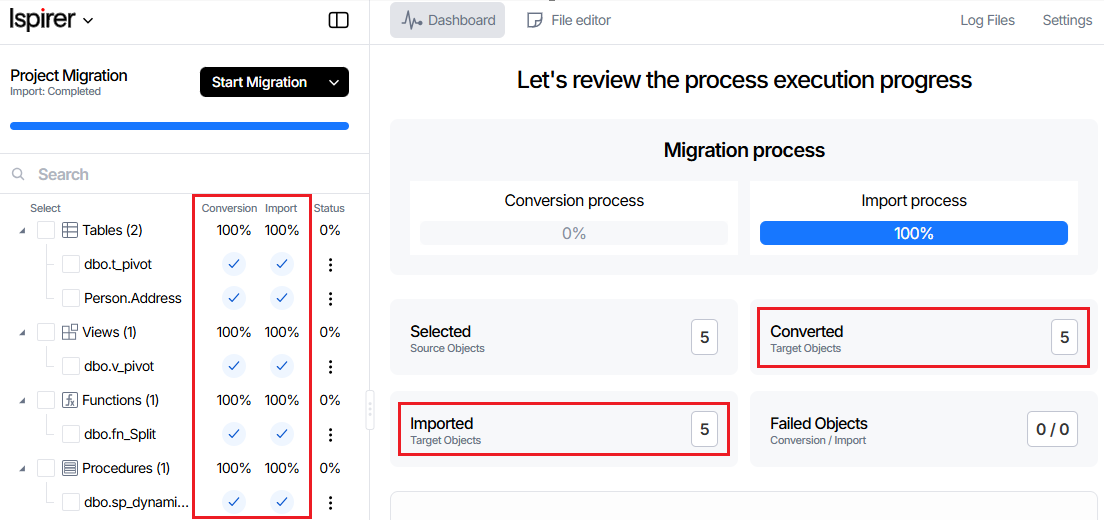
Screenshots of both the conversion and the import processes are also attached for your convenience.
Related Topics
If you have any questions or face any difficulties, please contact our support team at support@ispirer.com