Ispirer Website
Ispirer Capabilities: PostgreSQL Migration
Free Trial
How to Clone the Project
SQLWays allows you to clone projects.
Copying a project includes the following:
- Duplicate the project configuration
- Duplicate “Settings” (Options, Mappings)
- Duplicate “Selected Objects”
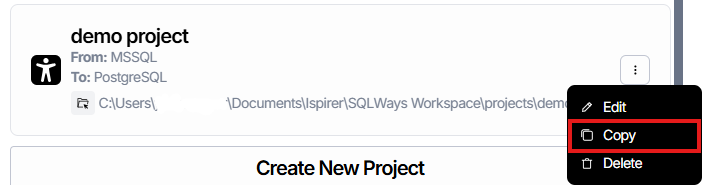
To make a copy of an existing project, go to the Home page.
From the list of projects, select the one you want to clone.
In the drop-down menu, click Copy.
On the project copy page, you can change the default values for the project name and the project directory location.
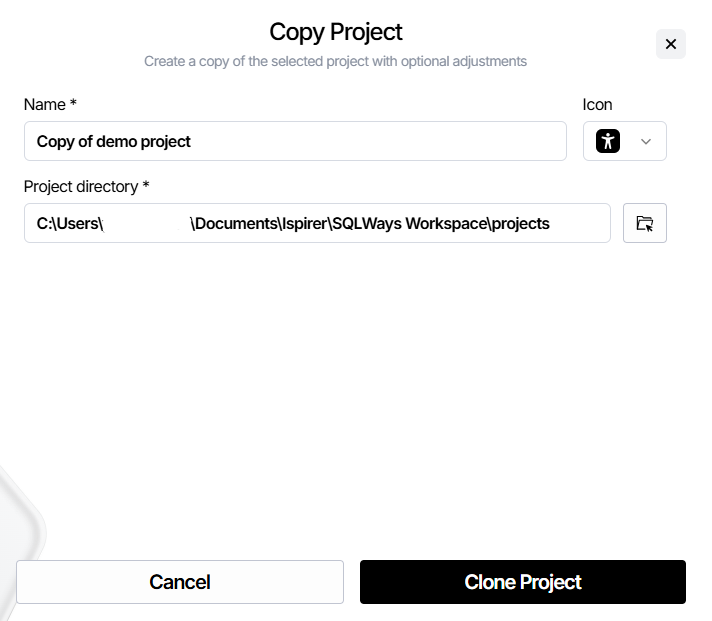
When you're done, click the Clone Project button.
After that, the project copy is created, and you are redirected to its dashboard.
If you have any other questions regarding the usage of our tool, please contact our support team at support@ispirer.com