Registration
One license key is used to register all the tools of SQLWays Toolkit. After entering the license key in one of the tools, the entire toolkit is automatically registered. There is no need to register each tool separately.
In order to register the SQLWays Toolkit, please follow these instructions:
1) Find your license keys in the file “License Key.txt” attached to Ispirer response email to your request made on the Ispirer website (https://www.ispirer.com/) or received in any other way. The file contains registration name and registration codes for 32-bit and 64-bit editions.
2) Save the attached license file on your computer and remember the path to the file location.
3) Launch Ispirer SQLWays using shortcuts on your desktop, from the Windows OS Start menu, or in any other possible way.
4) Find the “License Info” card on your desktop, where you will see a description of the detailed steps for registering a license. Start the license registration process by clicking the “Register” button.
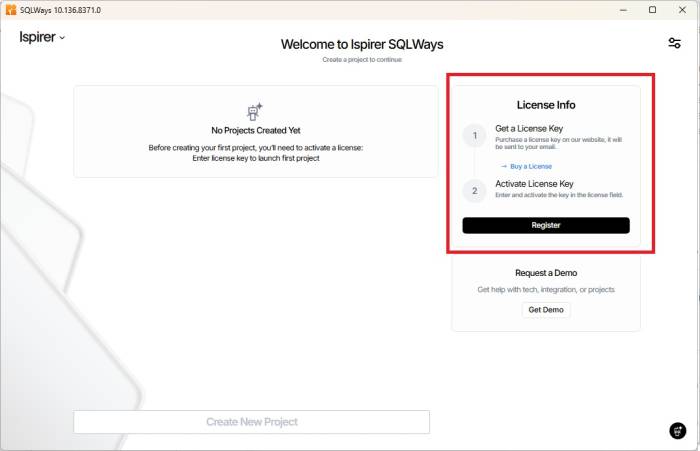
5) In the appeared “License Registration” dialog, you can set up the License Key or just click the “Read From File” to launch the License as file.
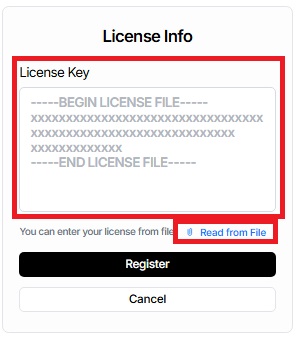
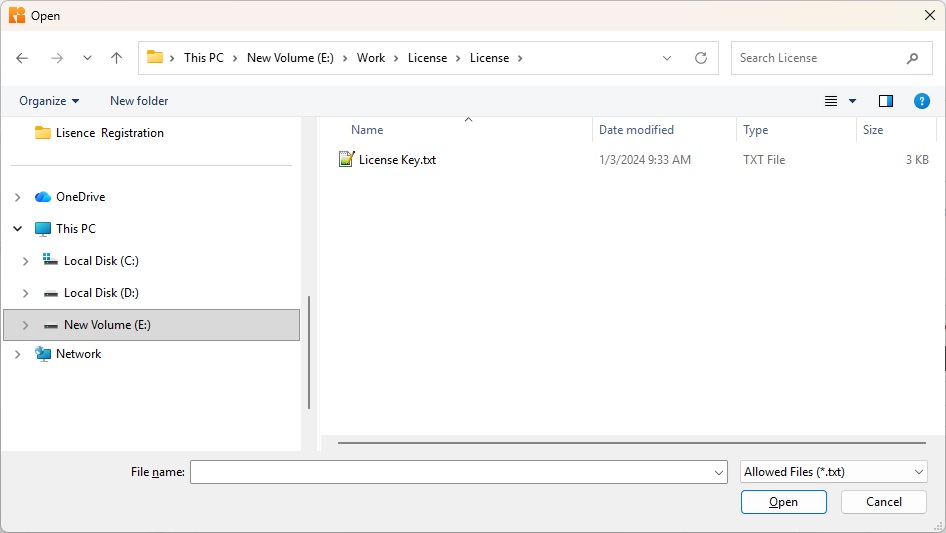
6) In the appeared “Open License Info File” dialog, choose the license file on your computer and click the “Open” button.
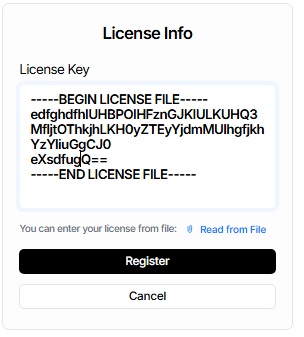
7) When the license information appears in the appropriate fields, click the “Register” button.
8) In the appeared “License Info” dialog, please review your license terms and restrictions. An example of such restrictions is shown below:
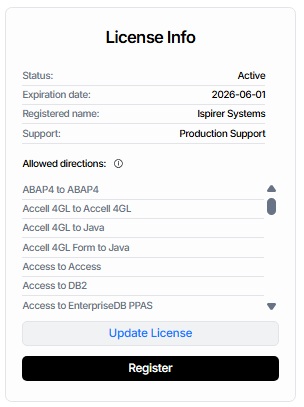
9) Move the cursor over the desired migration direction and click on it. The License Info card will display the restrictions applicable to that direction.
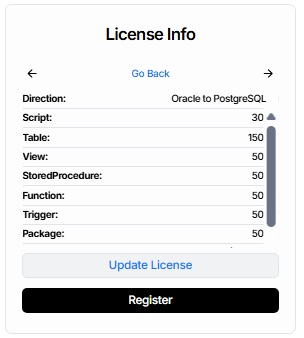
10) The toolkit is successfully registered now.
Please consider the license restrictions when choosing the scope of files/objects to convert with SQLWays tool. If, due to the existing license limitations, you are unable to estimate the possibilities of SQLWays Toolkit, and you would like to have an extended license, or you have any other questions, please contact us.