Ispirer Website
Ispirer Toolkit Overview
Free Trial
Unable to Start Migration Service if run SQLWays
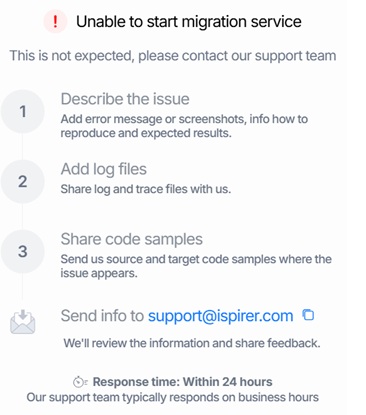
When launching the SQLWays application, the application fails to open and displays the following error:
Cause
This error typically occurs when the migration service is already running, blocked, or not properly initialized. Possible reasons include:
- Several users are trying to connect to SQLWays located on the machine at the same time.
- Previous instances of SQLWays or SQLWaysService are still running.
- Windows session processes related to SQLWays have not been fully terminated.
- User session needs to be refreshed to release locked resources.
Solution
The solution to this problem depends on the cause.
If the tool is used by different users, then follow these steps:
- Open the configuration file config.json in any user's workspace. By default , it is located at
%USERPROFILE%\Ispirer\SQLWays Workspacefolder. - Set some other value for the port, for example, 40081:
{
    "host": "127.0.0.1",
    "port": 40081,
    "threadsCount": 5,
    "standaloneMode": true,
    "workingDir": "C:\\Users\\user2\\Documents\\Ispirer\\SQLWays Workspace",
    "sqlwaysToolkit": {
        "installDir": ""
    }
}
|
- Run SQLWays tool once again.
If a single user has a problem, then to resolve this issue, follow these steps:
- Completely terminate all SQLWays and SQLWaysService processes using Task Manager.
- Verify that no other SQLWays-related processes are running.
- Restart your Windows user session.
- Launch SQLWays again after completing the above steps.
Following this procedure ensures that all background services and resources are properly released, allowing the migration service to start successfully.
Collecting Logs for Further Analysis
If the error persists after performing the steps above, please provide the service.log to help us analyze the issue:
- Navigate to the Global Working Directory of SQLWays. By default, the Global Directory is located at:
%USERPROFILE%\Ispirer\SQLWays Workspace - Open the .logs folder inside the Global Directory.
- Locate the file named
service.log— this is the key file needed for investigation. - Send us the
service.logfile only if the error 'Unable to start migration service' still occurs after terminating all active sessions and restarting the tool.
More details about Global Directory you could find in article Global Directory
Related Topics
If you have any questions or face any difficulties, please contact our support team at support@ispirer.com