Table of Contents
Ispirer Website
Ispirer Toolkit Overview
Free Trial
SQLWays: Data Extraction
This article explains how to configure Data Extraction in the SQLWays tool.
Data extraction is used when you want the tool to read (extract) data from the source database and generate output files for subsequent loading into the target database, or when you want to run a data-only migration (for example, into an already prepared/existing schema).
Data extraction is helpful in the following scenarios:
- Full migration (schema + data): generate converted DDL and export data.
- Migration to an existing database: export and load data only, without recreating table structures.
- Testing / troubleshooting: export only a subset of rows (when available in your build/configuration) to reproduce an issue faster.
In the web interface, data extraction settings could be configured with 2 ways:
- via Options
- via Data Cut in Migration Rules
Using Options
- Open your project.
- Go to Settings (top-right corner).
- Open Options.
- Locate the section
[_WZD_COMMON](This section contains the most common options for the conversion process. - Configure the options described below (as shown in the screenshot):
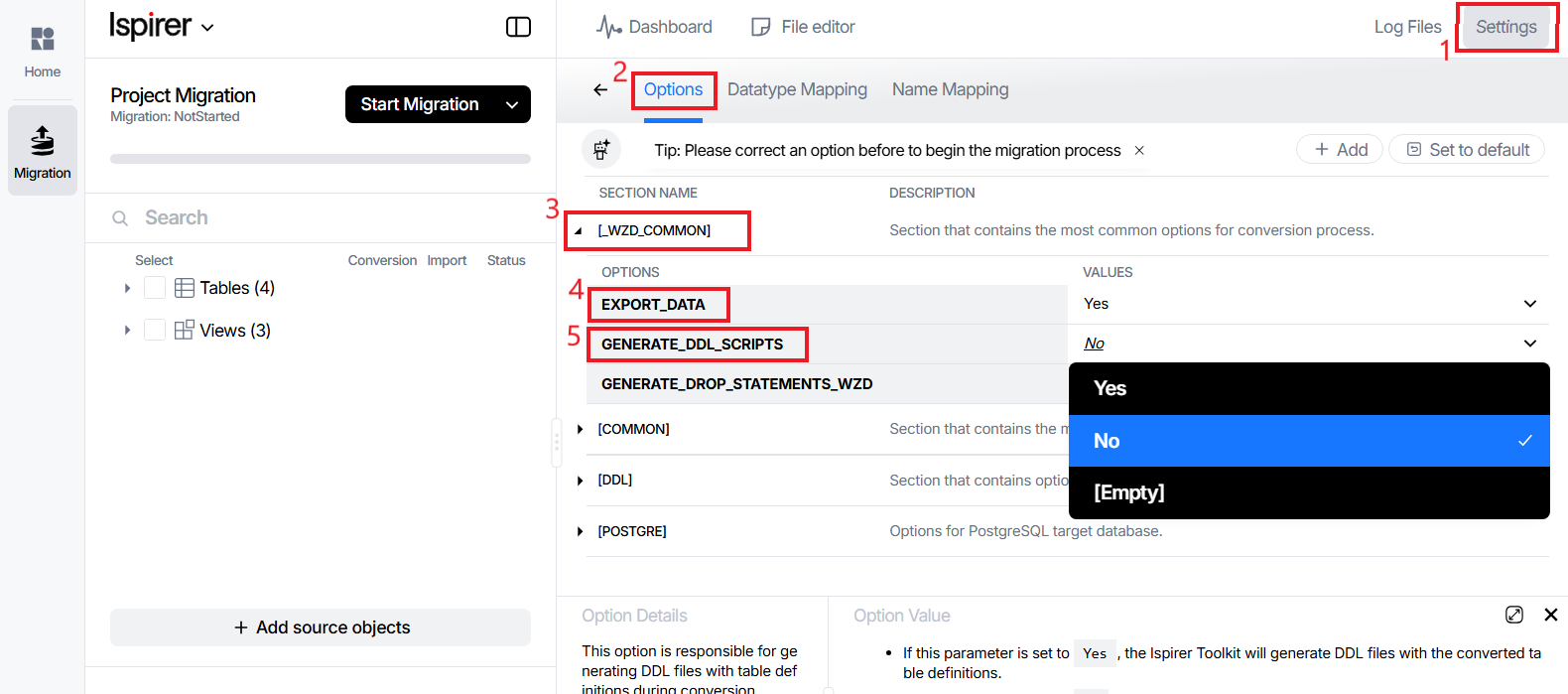
Required Options in [_WZD_COMMON]
1) EXPORT_DATA
Purpose: Controls whether SQLWays extracts data from the source database.
- Yes — SQLWays will extract/export data from the selected source tables.
- No — Data export will be skipped (only schema/object conversion may occur).
- Empty — Treated as default behavior (commonly equivalent to enabled).
When to enable it:
Enable EXPORT_DATA = Yes whenever you want the tool to perform data extraction (either as part of a full migration or for data-only scenarios).
2) GENERATE_DDL_SCRIPTS
Purpose: Controls whether SQLWays generates DDL scripts (converted table definitions) during the run.
- Yes — SQLWays generates DDL output for table structures (converted CREATE statements).
- No — SQLWays does not generate DDL; it extracts data only from the source database.
- Empty — Treated as default behavior.
Recommended Configuration Examples
A) Schema + Data migration (typical case):
- EXPORT_DATA = Yes
- GENERATE_DDL_SCRIPTS = Yes
B) Data-only migration into an existing database: If your target database already contains the required tables and you want to load data without recreating structures, set:
- EXPORT_DATA = Yes
- GENERATE_DDL_SCRIPTS = No
This configuration ensures SQLWays focuses on data extraction and transfer, skipping schema generation.
Using Data Cut
- Open your project.
- Go to Settings (top-right corner).
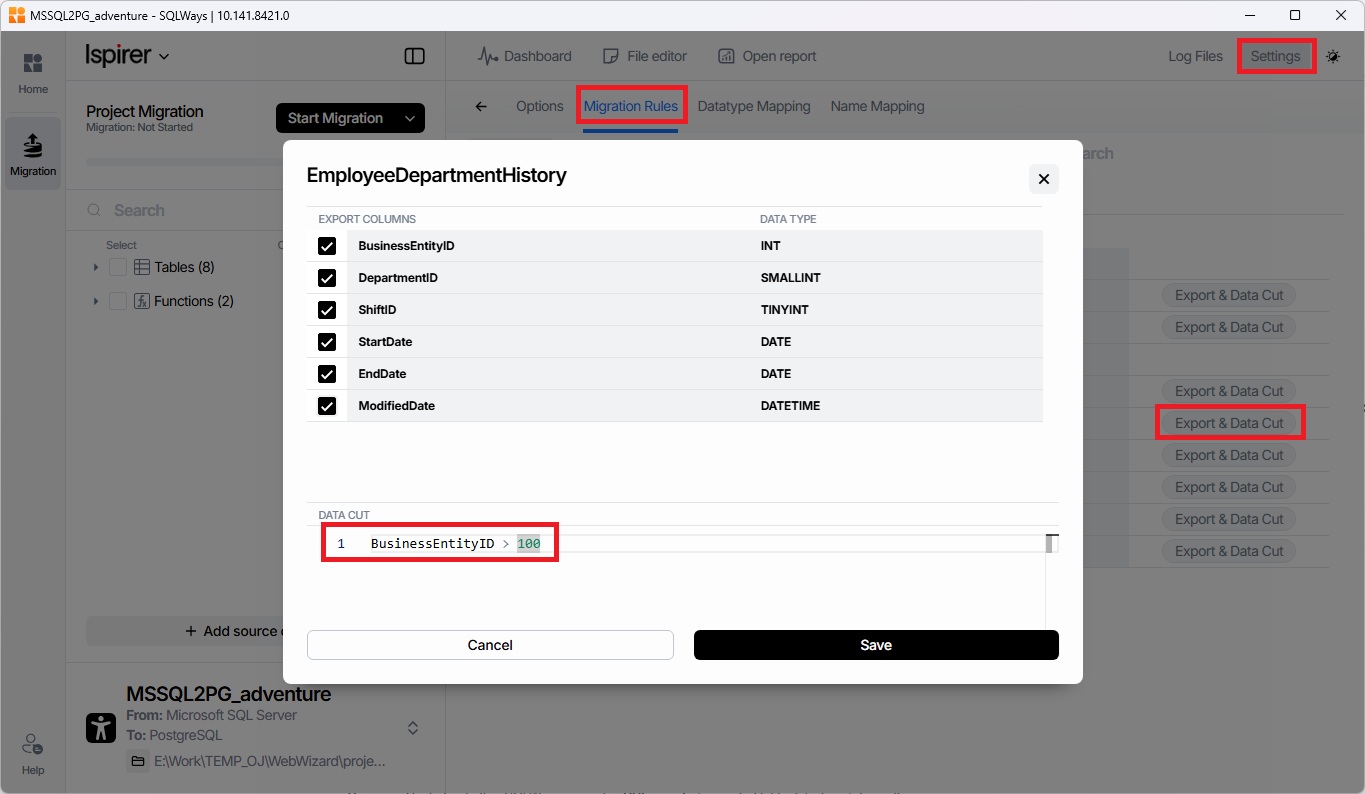
- Open Migration Rules.
- Expand the Object tree for rules definition
- Press on 'Export & Data Cut' for selected object
- At the Data Cut section of window set up the WHERE condition for table, based on which only part of the data will be selected:
Related Topics
If you have any questions or face any difficulties, please contact our support team at support@ispirer.com