Ispirer Website
Ispirer Toolkit Overview
Free Trial
SQLWays: Conversion Results
The complexity of a database migration project depends on multiple factors, including:
- code complexity
- source and target technologies
- application programming language
SQLWays provides a high level of SQL code conversion. Additionally, the tool can be customized and its conversion rules adjusted to meet the specific requirements of each project. However, it is important to understand that no tool can fully automate the database migration process. Every migration project requires human oversight and intervention to ensure accuracy and completeness.
This article outlines the steps necessary to successfully perform a database migration using SQLWays. By following the recommendations and best practices provided here, you can significantly reduce the manual effort required to adjust and verify migration results.
The first step is to determine the percentage of database objects that have been successfully migrated. The various reports generated by the tool during the conversion process provide valuable insights to assist with this assessment.
After the migration is completed, all information about the Migration Results will be displayed on the Dashboard tab. On this tab, you can get an instant overview of the current database conversion process, which is displayed in the object tree. As well as cards that display the following information:
- Status of the conversion and import processes
- Total number of objects in the project
- Total number of converted objects
- Total number of imported objects
- Number of objects that failed during conversion or import
Below is an example of a report generated by the tool after migration completion:
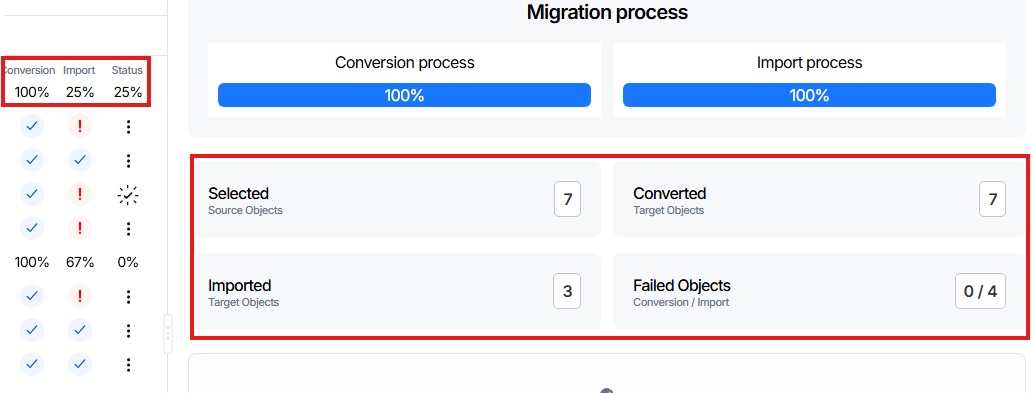
This card provides an overview of how many objects have been successfully loaded into the database.
Once the conversion is complete, the primary objective is to identify which objects were not imported and understand the reasons for any issues. To do this, you can:
- Open the Conversion log by clicking the tab
Log Files→Conversion Log - Open the Import log by clicking the tab
Log Files→Import Log
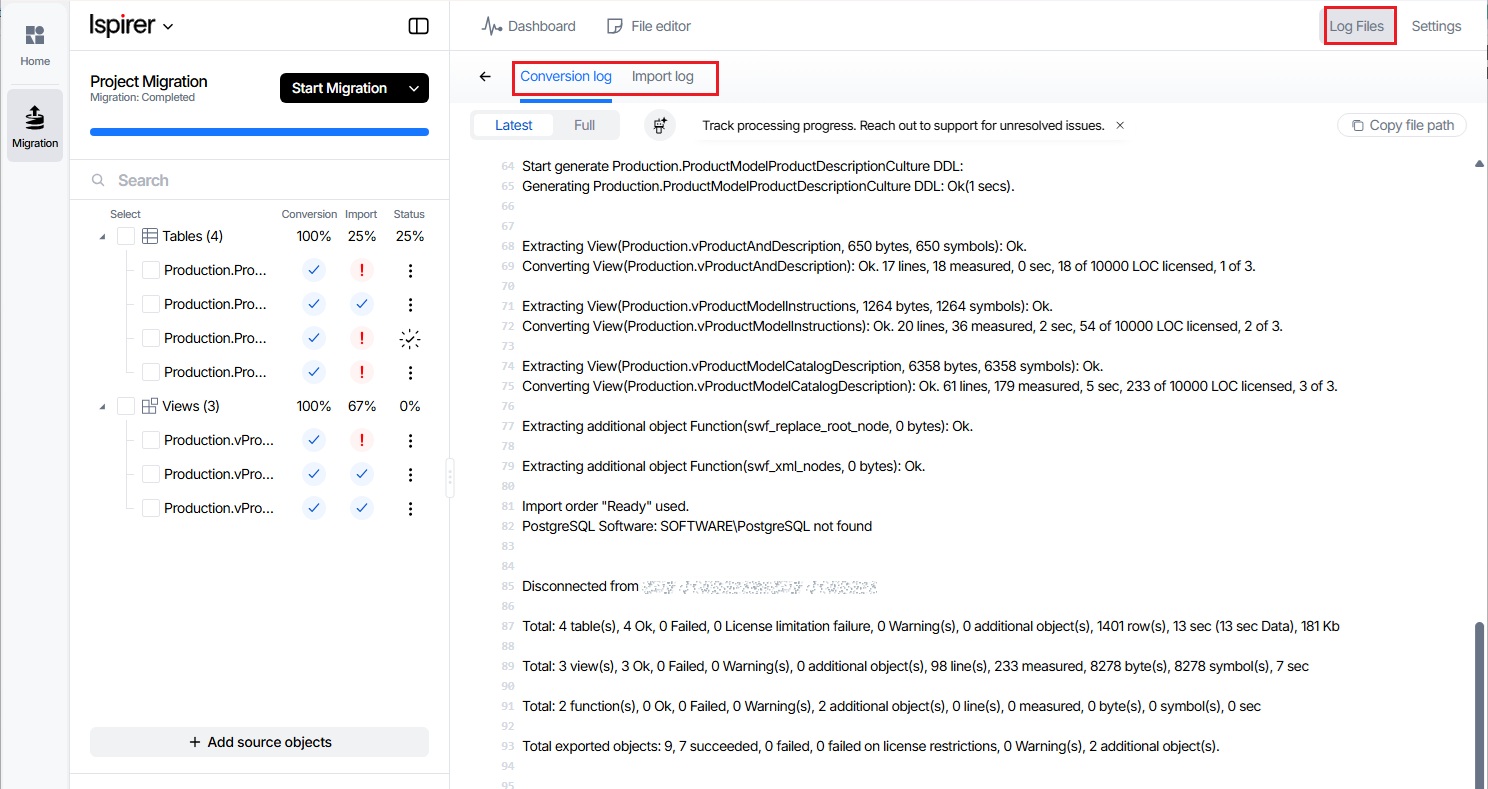
These correspond to sqlways.log and sqlways_imp.log located in the export folder of the Project directory.
Related Topics
If you have any questions or face any difficulties, please contact our support team at support@ispirer.com