Ispirer Website
Ispirer Capabilities: PostgreSQL Migration
Free Trial
How to Connect to PostgreSQL Using SSL
When migrating your source database into PostgreSQL or My SQL you may need to have a possibility to connect to the target database using SSL connection. For that purpose SQLWays has a set of options that allows to use SSL connection.
SSL Options
To be able to connect to the target PostgreSQL or My SQL database using SSL you need to set SSL options that located on the 'Create new project' page.
Please enable the checkbox “Use SSL Connection”.
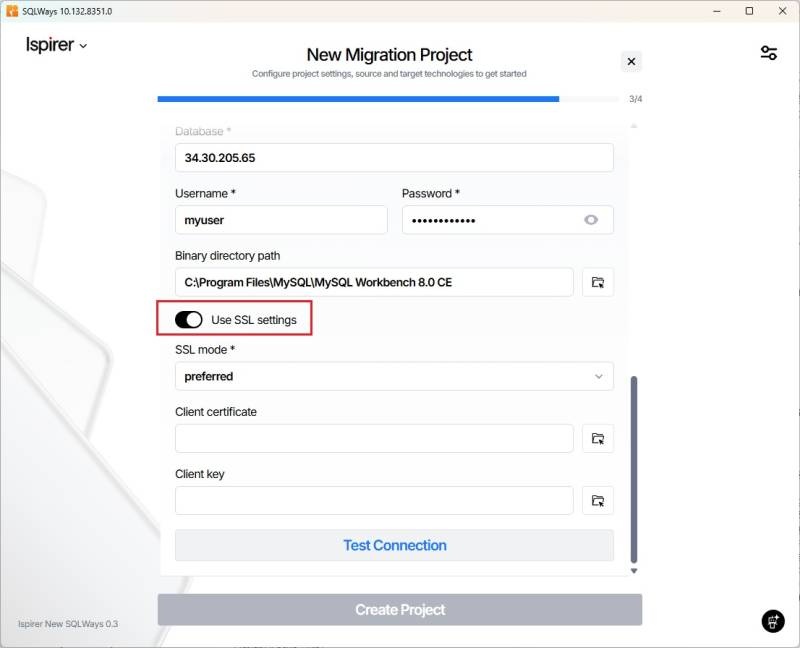
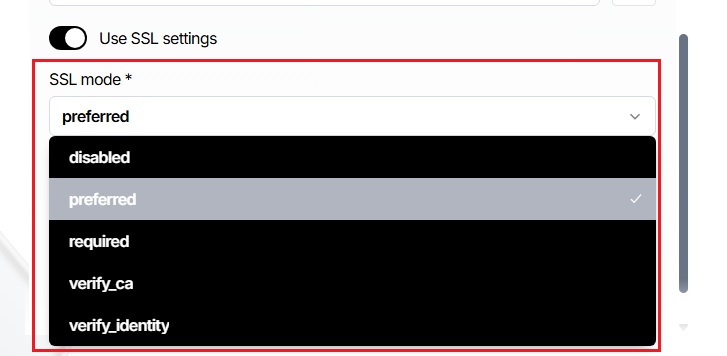
After that you will be able to select SSL mode
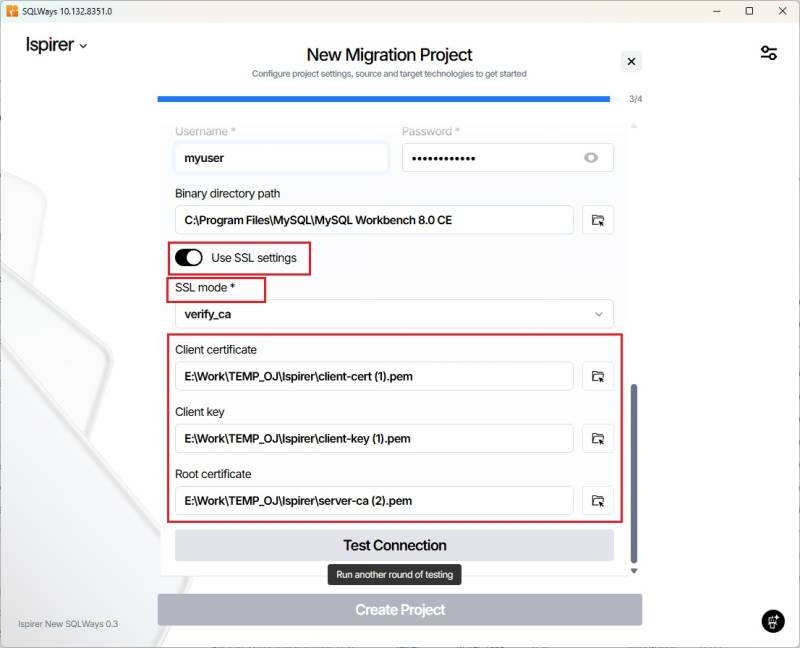
And according to the SSL mode provide a path to the required certificates.
Please note:
If you will use “disable” (“disabled” for MySQL) mode, then you will not need to provide additional information about the certificates.
If you will use “allow”, “prefer” (“prefered” for MySQL) or “require”( “required” for MySQL) SSL mode, then you will have to provide a paths to Client Certificate and Client Key.
If you will use “verify-ca” or “verify-full” (“verify-identity” for MySQL) SSL mode, then you will have to provide a paths to Client Certificate, Client Key and Root Certificates in appropriate options.
If you have any other questions regarding the usage of our tool, please contact our support team at support@ispirer.com