Ispirer Website
Ispirer Toolkit Overview
Free Trial
How to Change Objects Names During Migration
Ispirer Toolkit allows to change objects names during the migration.
Change Names Mapping in SQLWays
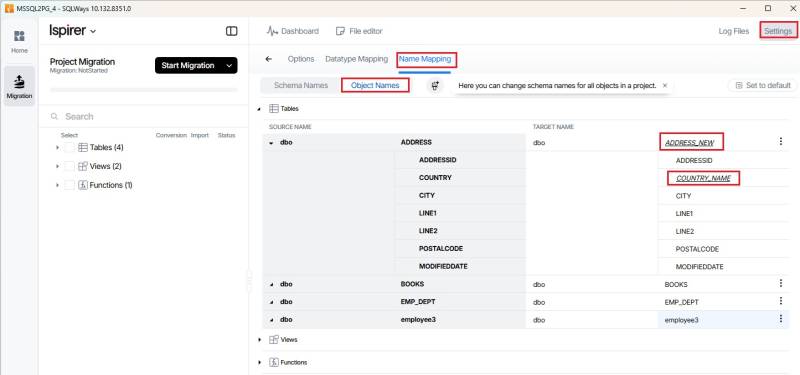
To modify object name mappings, please open the 'Settings' page in SQLWays and navigate to the 'Name Mapping' → 'Object Names' tab. Expand the required object type and make the necessary changes in the table on the right-hand pane.
If you need to rename table columns, expand the corresponding table and apply the required changes, as shown in the screenshot below.
If you have any other questions regarding the usage of our tool, please, contact our support team at support@ispirer.com